
 Games
Games
 Instant - Messaging - Calling
 Virus - Removal - Spyware - Malware
 Internet
 Security
 Cinema - Music
 Support download - upload
 Business software
 Office applications
 Graphic - Design
 Education - Learning
 Utility Systems
 Form - Template
 Email
Email
 Convert audio - video
 Data - Files
 Acceleration - PC management
 Support tools
 Browser - Addons
 Management - Edit photos
 Support Mobile
 Internet TIPs
 Game Guide
Review - Review of Bandicam: Software screen video capture quickly
Bandicam video capture tool is lightweight, with the main feature is to record the activities taking place on the screen in a video file. It is especially useful when users want to express gaming skills, guidance on computer tricks.
Bandicam simple interface can make you think that it does not have many powerful features, but the fact it seems the opposite. Bandicam provides users with useful features with minimal manipulation possible, makes it easy to carry out their work without having to lose time with complicated tasks.

English interface of Bandicam video capture application
Bandicam supports both Vietnamese interface, but if you look closely you'll notice in the Vietnamese interface cards have hidden FPS. In the General (Setup) , you can select a folder to save the video was shot, tied Bandicam window at the top of the screen, minimized to the system tray Bandicam or launch applications with Windows.
You can also turn on, turn off the auto-completion mode recording, or set the time, the maximum size for video files. The option settings for the action after recording include: do nothing, start a new recording, stop recording and exit the application, shut down the computer.

Some options screen after shooting
In the Video tab you can set shortcuts to record and stop recording, display cursor and add effects click, click Settings to select the color for the effects left click, right. Also on this card, you can select the video format is AVI or MP4 by clicking Install .

Select color effects to the left mouse button, right mouse

Select the video format when recording with Bandicam
Not only videos you can also take screenshots. In the card image, there are several options such as keyboard shortcuts, time continuous shooting, display the cursor, allowing sound when shooting, and the format brother. Screen capture feature is useful when you want to do animation.
Returning to the main features of Bandicam is the video screen. You have two modes is rotating and rotating screen gaming.
When rotating the mode selection screen you can select the full screen or set a goal to only part of the screen rotation. If the video turns in favor of the procedure, manipulation, you can choose to display the cursor, add effects, click to highlight the on-screen mouse movements. After setup is complete, you click the rotating screen mode, then click on the icon to begin recording dial. record the actions, movements on the screen that you do not even recognize the appearance of it.

Rotary screen mode, introduced the features of Bandicam (recorded with Bandicam)
In some cases, when the computer is running too many applications, video images can be slight lag, but most are pretty good video quality and clarity.
For game mode dial, you click on the hand icon on the screen game, and select dial.When testing turns game City Island 3 on Windows 8.1 , Bandicam record exactly what happens when gaming, there is no latency or lag. The game's audio is also recorded truthfully and accurately.
In addition to mouse effect, you can use the pen icon while recording to draw, color on the screen, or delete the wrong part delineated by eraser icon. This feature helps you attract the attention of users on the important points.

Use brushes in Bandicam
Although after shooting video, the card output you can see editing features, but to implement this feature you need to download a third tool is Bandicut . With uploaded , you can share a recorded video on site Vimeo . Unfortunately, the app does not connect toYouTube .

Optional upload videos to Vimeo
One more thing worth complaining as watermarks "www.Bandicam.com" will be inserted into the video, you can also shoot video with a maximum length of 10 minutes using the free version.
After trying to use some video filming, Bandicam is still my favorite applications, it is very light, 1080p output quality is extremely clear. Particularly impressive is the sound, very in, honest, not to collect the ambient noise.
If only for the purpose of entertainment and knowledge sharing, the watermark does not affect much to your video. With quality and features that Bandicam provides enough to satisfy the basic requirements of the user. As video capture application, has done a good job Bandicam his own, if you want more editing features, collage after shooting video, you can use Windows Movie Maker or software is more versatile recording Camtasia Studio .
 ZOOM Cloud Meetings 5.5.4 (13142.0301)
6,320
ZOOM Cloud Meetings 5.5.4 (13142.0301)
6,320
 How to Install MySQL
4,970
How to Install MySQL
4,970
 How to Install PIP on Windows
4,977
How to Install PIP on Windows
4,977
 How to Install Node.js® and NPM on Windows
85
How to Install Node.js® and NPM on Windows
85
 Windows Live Messenger 2012 16.4.3505 - 2software.net
3,119
Windows Live Messenger 2012 16.4.3505 - 2software.net
3,119
 PortraitPad for Windows 10 - Application free portraiture
4,225
PortraitPad for Windows 10 - Application free portraiture
4,225
 Free Invoice Template - Free download and software reviews
2,321
Free Invoice Template - Free download and software reviews
2,321
 WebcamMax - Free download and software reviews
3,314
WebcamMax - Free download and software reviews
3,314
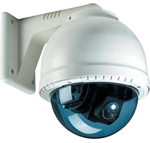 IP Camera Viewer - Free download and software reviews
3,216
IP Camera Viewer - Free download and software reviews
3,216
 Solid Converter PDF to Word 8.0 ( build 18 ) - Convert PDF to Word file from the PC
2,518
Solid Converter PDF to Word 8.0 ( build 18 ) - Convert PDF to Word file from the PC
2,518
 CSM Click 1.8 - The software automatically updates game
3,158
CSM Click 1.8 - The software automatically updates game
3,158
 Estimates F1 1:25 - Software estimation efficiency projects
2,618
Estimates F1 1:25 - Software estimation efficiency projects
2,618
 Delta 8.0 - Software estimation
2,808
Delta 8.0 - Software estimation
2,808
 Cyber Station Manager (CSM) 5.5.1 - Management software engine room
1,110
Cyber Station Manager (CSM) 5.5.1 - Management software engine room
1,110
 3TSoft - Accounting Software Free
2,692
3TSoft - Accounting Software Free
2,692
 Vietnam AccNetiZ Lac - Cheap Accounting Software
2,385
Vietnam AccNetiZ Lac - Cheap Accounting Software
2,385
 Fast Accounting 11 - Accounting Software
2,621
Fast Accounting 11 - Accounting Software
2,621
 MISA SME.NET 2012 R52 - Accounting Software for small and medium enterprises
2,984
MISA SME.NET 2012 R52 - Accounting Software for small and medium enterprises
2,984
 iBHXH - social support network declaration
2,859
iBHXH - social support network declaration
2,859
 Reinforced statistical software TIP - Statistics kinds of rebar, steel
2,530
Reinforced statistical software TIP - Statistics kinds of rebar, steel
2,530
 Google Chrome Free...
168412
Google Chrome Free...
168412
 MathType 6.9a -...
80737
MathType 6.9a -...
80737
 Zalo for PC
30689
Zalo for PC
30689
 Beach Head 2002 -...
26511
Beach Head 2002 -...
26511
 iBackupBot - Free...
23300
iBackupBot - Free...
23300
 AnonymoX 2.0.2 -...
23042
AnonymoX 2.0.2 -...
23042
 Snipping Tool++...
21829
Snipping Tool++...
21829
 Age of Empires 1.0
17918
Age of Empires 1.0
17918
 Realtek AC97 Audio...
17313
Realtek AC97 Audio...
17313
 Citrio...
15197
Citrio...
15197