
 Games
Games
 Instant - Messaging - Calling
 Virus - Removal - Spyware - Malware
 Internet
 Security
 Cinema - Music
 Support download - upload
 Business software
 Office applications
 Graphic - Design
 Education - Learning
 Utility Systems
 Form - Template
 Email
Email
 Convert audio - video
 Data - Files
 Acceleration - PC management
 Support tools
 Browser - Addons
 Management - Edit photos
 Support Mobile
 Internet TIPs
 Game Guide
DNS JUMPER - TOOL CHANGES THE COMPUTER'S DNS
Besides OpenDNS and Google Public DNS, DNS Jumper DNS also supports transfer of multiple ISP's DNS server to another DNS that you may not know. With just a click was able web faster and more securely.

The main interface of the DNS Jumper
CHANGES IN VERSION 2.0 DNS JUMPER
Fixes
- Dns Jumper can not ping a DNS server (instead of Resolve ping method is used).
- DNS Jumper buttons too small and some small changes in the user interface.
- Sometimes the update function is not working.
More new
- Menu System.
- Turbo resolve features significantly reduce overall test time DNS.
- Launch DNS Jumper system startup and application parameters at startup.
- Add parameters to support DNS test Run fastest boot time and apply it automatically.
- Features Import, Export DNS list.
Optimizing the time required to access the web address is desired by many people. One of the application can find the best DNS to shorten the loading time for all sites is DNS Jumper. This compact utility pack with a great feature set is accessed and used through the user-friendly interface.
DNS (Domain Name System) protocol on the Internet can transform the website name that people understand the address the understandable for machines in other words, is the IP address machine readable. In some cases, users can speed up web browsing, improved security by replacing the DNS is provided.

Select DNS want to change and click Apply DNS
THE REASONS TO USE DNS JUMPER
- DNS Jumper provide access, access blocked sites.
- Improves security by using secure DNS servers.
- Protecting children from inappropriate websites, certain other porn sites.
- Speed ??up browsing by moving to a faster DNS.
- Change the settings quite easily with just one click.
Undeniably the benefits of the use of a DNS DNS Server DNS intermediary instead of ISP (Internet service provider) as improved browsing speed and control embedded malicious websites, easily accessible difficult access sites. However, remember the exact value and Alternate DNS server Preferred DNS server for your network configuration is sometimes a problem for many people.DNS Jumper will help you solve this problem in the most compact way.
DNS Jumper many free DNS service, users can select a DNS from the drop down list. The software also supports users who want to manually enter the address of a similar service. Adding a new item to the list only takes a few seconds, all you have to do is write the IP address, host name.
DNS Jumper IPv6 support and dozens of enhancements, such as the user can easily create their own DNS group, can see the current DNS.
With a simple interface, ease of use comes with many useful features, DNS Jumper is definitely one of the best tools DNS changes.
More information about DNS Jumper
Once downloaded, you simply activate file to launch DNS Jumper DnsJumper_v1.0.6.exe. In the main interface of the DNS Jumper appear, click on Choose a DNS Server you will see a list of DNS can replace your ISP's DNS, including Google Dns (DNS Google Public DNS), Open DNS ( OpenDNS DNS), Comodo Dns (Comodo Secure DNS DNS), Advantage (DNS DNS Advantage), Ultra Dns (of UltraDNS DNS), Level 3 (Level 3 DNS DNS), Open NIC (OpenNIC Public DNS DNS) .

List of DNS DNS Jumper
Want to use DNS services, you just click on the corresponding DNS name and choose Apply DNS . For IPv6 you should tick the checkbox IPv6 . It's that simple! To restore your DNS settings or use the ISP's default DNS has two ways:
Option 1: Click on the button Quick configuration with the star icon, and click on what you want to do.
Method 2: When you click on Choose a DNS Server select Restore or Default and click Apply DNS.

The options of DNS Jumper
When comparing OpenDNS, Google Public DNS and UltraDNS, the diagnosis of engine Namebench said UltraDNS DNS capable of improving the best browsing speed, second is OpenDNS, Google Public DNS before coming.
 Tweeten 2.0 - desktop application for Twitter - Download.com.vn
3,228
Tweeten 2.0 - desktop application for Twitter - Download.com.vn
3,228
 TeamViewer 11.0.59518 - control and remote desktop connections
3,437
TeamViewer 11.0.59518 - control and remote desktop connections
3,437
 StumbleUpon for Windows 8 - Social Networking personalized preferences
2,246
StumbleUpon for Windows 8 - Social Networking personalized preferences
2,246
 StumbleUpon for Chrome 6.2.27.2 - Discover preferences web content
2,718
StumbleUpon for Chrome 6.2.27.2 - Discover preferences web content
2,718
 Wireless Wizard - Free download and software reviews
3,172
Wireless Wizard - Free download and software reviews
3,172
 Wireshark ( 32- bit) 2.0.0 - Analysis of the network protocol for PC
3,396
Wireshark ( 32- bit) 2.0.0 - Analysis of the network protocol for PC
3,396
 Bluetooth Remote Control 2.0 Mobilewitch - application control PC
3,212
Bluetooth Remote Control 2.0 Mobilewitch - application control PC
3,212
 Virtual GPS - Global Positioning System emulator for the PC
3,510
Virtual GPS - Global Positioning System emulator for the PC
3,510
 inSSIDer 4 - Searching for Wi- fi - Search engine for the computer wifi
2,487
inSSIDer 4 - Searching for Wi- fi - Search engine for the computer wifi
2,487
 .NETSpeedBoost Professional Edition 6.50 - The software speed Internet connection for PC
3,383
.NETSpeedBoost Professional Edition 6.50 - The software speed Internet connection for PC
3,383
 Wi - Host 1.0.0 - Turn your laptop into a Wi-Fi base station
2,419
Wi - Host 1.0.0 - Turn your laptop into a Wi-Fi base station
2,419
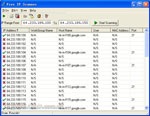 Free IP Scanner - scans IP addresses apps for PC
2,354
Free IP Scanner - scans IP addresses apps for PC
2,354
 Virtual Router 1.0 - Play WiFi from laptop
2,437
Virtual Router 1.0 - Play WiFi from laptop
2,437
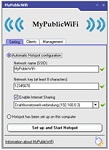 MyPublicWiFi 5.1 - Turn your laptop into a wireless access point for free for PC
2,264
MyPublicWiFi 5.1 - Turn your laptop into a wireless access point for free for PC
2,264
 LogMeIn Hamachi 2.2.0.410 - Create virtual LAN over the Internet
2,442
LogMeIn Hamachi 2.2.0.410 - Create virtual LAN over the Internet
2,442
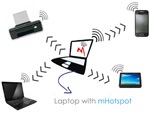 mHotspot 6.4 - Turn your laptop into a Wi - Fi base station
2,501
mHotspot 6.4 - Turn your laptop into a Wi - Fi base station
2,501
 VietBandwidth 4.1 - Track speed Internet connection for PC
2,113
VietBandwidth 4.1 - Track speed Internet connection for PC
2,113
 Maryfi - Turn your laptop into a Wi-Fi base station
2,223
Maryfi - Turn your laptop into a Wi-Fi base station
2,223
 7:53 Freegate Professional Edition - Software bypass firewall for PC
2,560
7:53 Freegate Professional Edition - Software bypass firewall for PC
2,560
 TeamViewer QuickSupport 10.0.47484 - The software allows remote computer control
2,130
TeamViewer QuickSupport 10.0.47484 - The software allows remote computer control
2,130
 Google Chrome Free...
167840
Google Chrome Free...
167840
 MathType 6.9a -...
80500
MathType 6.9a -...
80500
 Zalo for PC
30421
Zalo for PC
30421
 Beach Head 2002 -...
26340
Beach Head 2002 -...
26340
 iBackupBot - Free...
23133
iBackupBot - Free...
23133
 AnonymoX 2.0.2 -...
22867
AnonymoX 2.0.2 -...
22867
 Snipping Tool++...
21631
Snipping Tool++...
21631
 Age of Empires 1.0
17673
Age of Empires 1.0
17673
 Realtek AC97 Audio...
17133
Realtek AC97 Audio...
17133
 Citrio...
15039
Citrio...
15039